Life of Brian

Almost One Tenth As Old As America

  •  
  • Miatatude
    • Buckie’s
      Modification List

    • Brian’s Miata Photos
      • Miata #6: 2001 NB2 (2025 – Present)
      • Miata #5: 2024 ND3 (2024 – 2025)
      • Miata #4: 2002 NB2 (2016 – 2023)
      • Miata #3: 2003 NB2 (2003 – 2016)
      • Miata #2: 1995 NA2 (1995-2003)
      • Miata #1: 1990 NA1 (1989-1995)
      • Miata Calendars
        • 2005 Calendar
        • 2006 Calendar
        • 2007 Calendar
        • 2008 Calendar
    • Brian Buys A Miata
    • Brian Goes To College
    • Brian Fights Breast Cancer
    • Brian In A Ditch
    • Brian Buys Tires & Wheels
    • Miata Ipsum
  • Other Cars
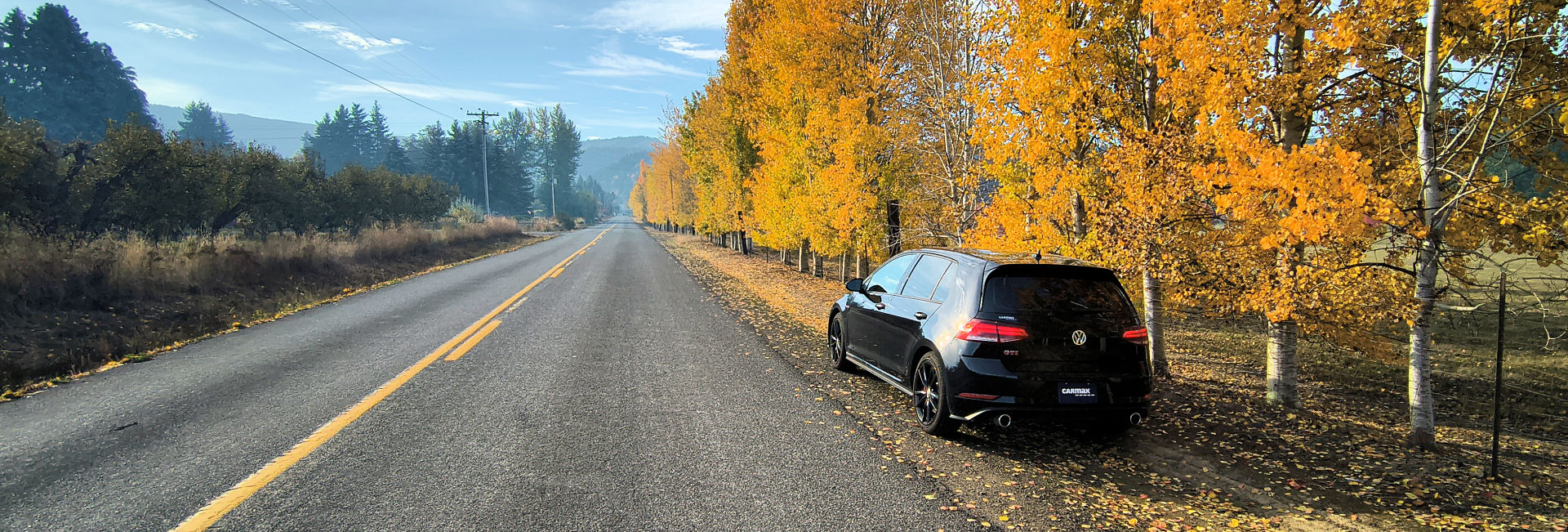
    • 2020 VW Golf GTI S (2025 – Present)
    • Mini #2: 2016 Cooper (2022 – 2025)
    • Mini #1: 2012 Cooper (2017 – 2022)
    • 2011 Hyundai Sonata (2011 – 2017)
  • Photos
    • Oregon
      • 2020 Klamath Basin Scavenger Hunt
      • #revchallenge
      • Traffic Signal Box Art
    • Moss Motoring Challenges
      • 2020 Moss Motoring Challenge
      • 2019 Moss Motoring Challenge
      • 2018 Moss Motoring Challenge
      • 2017 Moss Motoring Challenge
      • 2016 Moss Motoring Challenge II
      • 2016 Moss Motoring Challenge
      • 2015 Moss Motoring Challenge
      • 2014 Moss Motoring Challenge
    • Travel
      • 2025 Jumbo Road Trip
      • 2022 Santa Fe Trip
      • 2018 Way Out West Wedding Trip
      • 2012 Northeast Trip
      • 2009 Western States Trip
      • 2007 Northeast Trip #2
      • 2007 Northwest Trip
      • 2007 Northeast Trip #1
      • 2006 Northwest Trip
      • 2006 Florida Trip
      • 2005 Washington DC Trip
      • Gnorthwest Gnome
      • Travels With Brian
    • Memes
      • Phototime Tuesday
      • Tuesday Challenge
      • Lensday Wednesday
      • Theme Thursday
      • Photo Friday
      • Enchanted Ceiling
    • BMW Susan Komen Ultimate Drives
      • BMW Susan Komen Ultimate Drive 2006
      • BMW Susan Komen Ultimate Drive 2007
      • BMW Susan Komen Ultimate Drive 2008
    • Hot Air Balloon Festivals
      • Aiken 2007
      • Aiken 2008
    • Hitchcock Woods
      • Monthly Photo 2006
      • Mr Fletcher’s Ride
      • Signs
    • Various
      • USS Midway
      • Papercraft
      • Action Figures
      • Radio Paradise HD
      • Aiken’s 2010 Snow Day
      • MMC’s Trip to the South Carolina Train Museum
      • NASA Firecracker Run
      • Saluda County Memorial Day Tribute
      • Stuart’s Wedding
  • Post Offices
    • Oregon Post Offices
      • Adams to Cannon Beach
      • Canyon City to Durkee
      • Eagle Creek to Hermiston
      • Hillsboro to Marylhurst
      • Maupin to Phoenix
      • Pilot Rock to Saint Paul
      • Salem to Tiller
      • Toledo to Yoncalla
    • South Carolina Post Offices
      • Abbeville to Cassatt
      • Catawba to Cross Hill
      • Dalzell to Gilbert
      • Glendale to Iva
      • Jackson to Lynchburg
      • Manning to Norway
      • Olanta to Russellville
      • Saint George to Sycamore
      • Tamassee to York
    • Miscellaneous Post Offices
  • Misc
    • Geocaching
      • GA County Challenge
      • GA DeLorme Challenge
      • GA State Park Challenge
      • SC County Geocaching Challenge
      • SC DeLorme Geocaching Challenge
    • Spenser’s Crime Buster Rules
    • Contact Form
  • Shop
Almost One Tenth As Old As America

Rants

I hate CSS & Mozilla. And IE While I’m At It.

Thursday, March 10, 2005

I’ve got the layout of the new front page done, using Plan B. But In Mozilla at random times there appears a 1 pixel line underneath one of the rounded corner blocks. Ugh, like having an ink stain at the bottom of your dress shirt pocket. It is not there in IE!?! IE does wrap the Powered by Movable Type 3.121 to two lines, while Firefox fits it all on one. Oh, well, I’m sure the hate is there because I’m not smart enough to figure out just where I went wrong. It is probably simple too…

Begin Update
I got rid of the 1 pixel ink stain. Don’t ask me why, but as soon as I removed one of the links and it didn’t matter which one, it was gone. Nine links, good, ten, bad. Wonder if 11 would be ok?
End Update

Started up, went down, still down.
Miata Top Transitions since 01/01/05: 51
Tagged: Rants

Woe Is Me

Monday, March 7, 2005

I’ve been reading other blogs. Other blogs with writing of substance, filled with words with flair, unlike here. As is the norm with these blogs they like other blogs of the same ilk. Man I wish I wrote like that.

A couple I visited had these really cool rounded corner things going on. So seeing as I can’t write like that, I can at least look like that, right? Style is better than substance, right?

So I did a little google search for “css rounded corners” and poked into all the links that came back on page one. About a half dozen ways to do basically the same thing and everyone of them was kinda understandable, but they seemed just out of my reach. Not that I couldn’t have figured it out with certainty, but the question came down to, “Is this worth the effort?” Nah. Besides once something so cool becomes easily accessible to yucks like me, it is definitely not cool anymore.

But now I’ve gotten the bug to monkey with the look here, this one is getting tired, after all it has had this look for almost a month now…maybe I should do RetroWeb. All gray mottled background with bright lime green bullets. Maybe I’ll do it in one big table. Maybe frames.

Started down, went up, back down, still down.
Miata Top Transitions since 01/01/05: 49
Tagged: Rants

They Patched It And Didn’t Tell/Charge Me?

Tuesday, March 1, 2005

30 p.s.i. in the tire this morning. So I dropped it back to 29 to match the other three and I’ll check it tomorrow.

Tagged: Rants

Finally Got The Blues

Thursday, February 24, 2005

A couple weeks ago a co-worker asked me to help out with his son’s science project. It was a simple job, print out the headings for his tri-fold display. They want some stuff that was longer than they could print on their home ink-jet. He brought me the PowerPoint presentations and asked if I could print out the headings in a nice dark blue, no problem, I thought. We have a nice big ol’ Hewlett-Packard DesignJet800 plotter that can print on 36″ wide paper and I guess maybe the whole 150′ length if you didn’t run out of ink.

When I printed out the first page, much to my surprise, it was a lovely shade of purple. I started testing other shades of blue and they all came out different shades of purple. The really dark blue-green came out with almost no purple, but it looked black or gray not blue at all. When I asked if purple was OK, he said yes with little enthusiasm, but what could we do? I ended up printing out everything for the science project because there was no way that they would be able to match my purple shade at home on their printer.

Yesterday I had to make up a sign for here at work and not thinking I choose a nice blue for some of the lettering. Of course I cussed loudly (to myself) when the blue printed as purple. After completing the sign project I made it a goal to find a fix. The internet knows all, so off I went in search of a solution. My first stop was at the HP support forums. I searched for “blue prints purple” in the DesignJet800 forum and was rewarded with seven hits. The first one says, “Latest firmware has new color maps to help with this.” Bingo.

I check my plotter and it says I have firmware A.02.09 installed and A.02.12 is available, so I download all 24Meg of it and put it on my desktop. The file is an executable, so I double click and it installs some maintenance software on my C: drive. After it installs, it automatically starts the program and promptly tells me it can’t find the printer?! I do a quick double check and the printer is listed as one of my printers.

I go back online to the page I downloaded the firmware upgrade from and scroll further down the page to where the troubleshooting section is. There is my problem, you can not do this over a network, you have to be directly connected to the printer or run the program from the server. I hunt down our local IT guy and ask if he would run this update from the server. Yes, but not today, ask tomorrow.

Fast forward to this morning. I copy the maintenance program file to a networked drive and follow him to the computer room. He logs on and has to map a drive to the directory I used, and then he double clicks on the application. The hourglass appears for a half a minute or so and then disappears. We wait. And wait. And wait. The natural reaction is to try again and sure enough, history repeats itself, nothing. We go to the task manager and there are 2 processes running and neither of them are using any CPU time. I tell him to go ahead and kill the processes and I’ll move to Plan B, direct connect.

I go see one of the assembly engineers to borrow a laptop. First I check and see if it has a USB port so I can load all 24Meg of the maintenance program to it. He hands me a power supply too, as the battery, like every laptop battery in the plant, is dead. I disconnect the printer cable from the net port and plug it into the back of the laptop and turn it on. The Windows98 start screen displays and I hope to myself it is at least 98SE. I get lucky, as it turns out the OS is 2nd Edition, so I can use the USB thumbdrive.

But first I need the drivers, so I go back over to my desktop to surf the net. My thumbdrive is made by a company called Wolverine, so my first couple of searches brings back a lot of hits for Marvel Comic’s X-Men and the University of Michigan football team. I finally find it, www.wolverinedata.com and down load the drivers. Seeing as I can’t use the thumbdrive yet, I have to transfer the drivers to, egad, a floppy disc. Rifling through my desk, I find a disk in the bottom of drawer #4. After loading the USB drivers on the laptop, I to plug in the thumbdrive and can’t. Nice design work Dell, the USB port is too close to the parallel port to accommodate both devices at the same time.

I unplug the printer and copy the maintenance program to the laptop. Double click and it loads right up. The program starts and it can’t find a printer, again. This time there is a good reason, its not plugged in. Unplug the USB drive and plug in the printer, still no joy. Of course you knucklehead, the DesignJet800 is not installed as a printer on the laptop, this is the first time they’ve seen each other. Back to my desktop PC and back to the internet to download the driver for the printer. It is of course 1.9Meg so Have to use the thumbdrive again.

Unplug the printer, plug in the USB drive, copy the drivers to the desktop, unplug the USB drive, hook up the printer and install the printer drivers. Whew. Run the maintenance program and it finds the printer. Yippee! It reports that an upgrade is available and I should not turn off the printer until it is finished. I click OK and watch as a process bar creeps along the screen installing file 1 of 3. It finished the first and starts the second when a BSOD pops up on the laptop! F%*k! I hope I haven’t screwed up the printer’s memory. I shut down the laptop and when the screen on the printer says, Turn off printer”, I do just that.

I start the printer again and boot up the laptop. The printer seems to start up normal, so that is a relief. I start the maintenance program again and when I click OK a progress bar creeps across the screen installing file 1 of 2. So at least it knows it finished the first file OK. After both files are loaded the laptop program says, “Success.” The printer shows an hourglass and then it transitions to a pictogram indicating I should unplug it, I do just that.

I unhook the laptop and turn the printer back on. The printer boots normally and I check the firmware screen and it says I have A.02.12 installed. Hook it back into the net port and return to my desktop PC to retry yesterday’s sign where the blue printed purple. After all that song and dance the blue still prints out as purple! Sh#t!

I go back to the HP forums to check out the other 6 hits from yesterday’s query. Response number 3 looks promising, it is from a moderator: “When loading the paper, be sure to scroll down all the way to the bottom of the paper list and select the enhanced color profiles. These selections, along with the current firmware, should get you up and printing blue in no time.” I trot over to the printer and select enhanced color profiles. The paper list I just scrolled through is repeated, but with an EC on the end of the paper name. I select the appropriate one and try printing the sign, one more time. Finally, I got blue.
Tagged: Rants

1,988 Hours To Go

Wednesday, February 23, 2005

The light near the front stairs burnt out Monday night, so yesterday evening I replaced it with another one of those 2,000 hour bulbs my mother-in-law bought. I’ll be keeping track of how long this one lasts too. The one I put in earlier this month is still going and has 1,400 hours left before it burns out.

Tagged: Rants

GMail

Saturday, February 19, 2005

Last week some time I noticed the “Invite a Friend to Gmail” link was back at the top of the page when using Gmail. I ignored it.

Later in the week I noticed the “Invite” link was gone. Oh well, I figured if I wasn’t giving them away to “friends” fast enough, they were passing them along to those who would. Turns out they weren’t gone, just moved. The invite think has its own little block on the lower left of the Gmail page right below the labels menu. I have 50! to give away. Ha, I don’t have one single person to give a Gmail address too, let alone 50.

I have pestered everyone I know, I have offered them up free to strangers who have stumbled onto my blog via the Insane Giveaway Nights, I’ve tossed a few to fellow Miata.netters and I have even given them away philanthropically via gmailomatic, so how the heck am I to rid myself of these?

Even though it is against the Gmail Terms of Service I am going to sell them that’s how (what are they going to do, take away my account?) So if you want one of my Gmail Invites, just paypal $1,000.0 US to me at brian AT mr-miata DOT com. I figure if I sell enough of them I can buy one of those brand new next generation Miatas that they are going to introduce in about a week at the Geneva Auto Show.

Tagged: Rants

I Hope You Laughed Your Ass Off

Wednesday, February 16, 2005

If not at the joke in the previous post, at least at the man who took over an hour to post it to his blog.

About mid-morning my email alert chimed and when I opened it I got a little joke from one of the usual suspects. I thought it was cute and I hadn’t blogged one in a while, so I went online and hit “new Entry.”

Because it came the way it did there was of course several right brackets and extra carriage returns to remove, so I cut and pasted into an empty txt file. After sprucing up I cut and pasted it into the Entry Body area and hit publish.

I was greeted with a 404. Huh? Back button, try again, 404. Maybe there is some sort of hidden escape character that I can’t see and the cutting and pasting is just inserting it, which makes the entry fail. So I open the txt file in word and save it as a word document. I close out Word and open it back up to the file. I then save it to a plain txt file again. Open the txt file, copy and paste that into the Entry area again and hit publish. 404. Dang.

Next I try and paste in each of the 3 paragraphs one at a time publishing after each one. First one goes fine, second one too, but number three is the culprit. So I try pasting it into the Extended Entry area to see if it would work there. Nope. Dang, Now I’ve got 2/3 a joke online and no punch line. I delete the post and rebuild the blog. I’ll try again when I get home, maybe something at work is causing it…

I forwarded the email to home and did the whole clean and prune exercise again before attempting the posting. All three paragraphs at once netted the same results, 404. (which reminds me, I need to make a custom 404 page for here) So I plugged in the first two paragraphs and published. I then started adding 3 or 4 words at a time from the punch paragraph until it failed. Which turned out to be right after the word python. I tried skipping the word weally when pasting and that didn’t work. I then tried typing in the word weally, nope. How about if I spell it correctly? Really didn’t do the trick either. So then I went back to my original txt file and pasted it in. That worked! There was a line break after the word python in that file, so I cleaned up the text file and I left the extra carriage return in after python and that worked too. The thing that I did to solve the problem and not have a misplaced carriage return was I placed a no breaking space in html code between python and weally.

Started down, went up, back down, still down.
Miata Top Transitions since 01/01/05: 30
Tagged: Rants
« Previous 1 2 3 4 5 … 68 69 70 71 72 73 74 75 76 … 155 156 157 158 159 Next »

sturgeon’s law

"Ninety Percent Of Everything Is Crap"
Derived from a quote by science fiction author Theodore Sturgeon, who once said, "Sure, 90% of science fiction is crud. That's because 90% of everything is crud." Oddly, when Sturgeon's Law is cited, the final word is almost invariably changed to 'crap'.

instagram

1) You will never find a more wretched hive of scu 1) You will never find a more wretched hive of scum and villainy. 2) Who is this guy? I don't remember him at all. Maybe the puzzle's artist?

#moseisley #cantina #starwars #jigsaw #jigsawpuzzle #jigsawpuzzlesofinstagram #jigsawpuzzleanonymous

site search

the best of

2026 | 2025 | 2024 | 2023 | 2022
2021 | 2020 | 2019 | 2018 | 2017
2016 | 2015 | 2014 | 2013 | 2012
2011 | 2010 | 2009 | 2008 | 2007
2006 | 2005 | 2004 | 2003 | 2002

the rest of

  • 2026: 01 02 03 04 05 06 07 08 09 10 11 12
  • 2025: 01 02 03 04 05 06 07 08 09 10 11 12
  • 2024: 01 02 03 04 05 06 07 08 09 10 11 12
  • 2023: 01 02 03 04 05 06 07 08 09 10 11 12
  • 2022: 01 02 03 04 05 06 07 08 09 10 11 12
  • 2021: 01 02 03 04 05 06 07 08 09 10 11 12
  • 2020: 01 02 03 04 05 06 07 08 09 10 11 12
  • 2019: 01 02 03 04 05 06 07 08 09 10 11 12
  • 2018: 01 02 03 04 05 06 07 08 09 10 11 12
  • 2017: 01 02 03 04 05 06 07 08 09 10 11 12
  • 2016: 01 02 03 04 05 06 07 08 09 10 11 12
  • 2015: 01 02 03 04 05 06 07 08 09 10 11 12
  • 2014: 01 02 03 04 05 06 07 08 09 10 11 12
  • 2013: 01 02 03 04 05 06 07 08 09 10 11 12
  • 2012: 01 02 03 04 05 06 07 08 09 10 11 12
  • 2011: 01 02 03 04 05 06 07 08 09 10 11 12
  • 2010: 01 02 03 04 05 06 07 08 09 10 11 12
  • 2009: 01 02 03 04 05 06 07 08 09 10 11 12
  • 2008: 01 02 03 04 05 06 07 08 09 10 11 12
  • 2007: 01 02 03 04 05 06 07 08 09 10 11 12
  • 2006: 01 02 03 04 05 06 07 08 09 10 11 12
  • 2005: 01 02 03 04 05 06 07 08 09 10 11 12
  • 2004: 01 02 03 04 05 06 07 08 09 10 11 12
  • 2003: 01 02 03 04 05 06 07 08 09 10 11 12
  • 2002: 01 02 03 04 05 06 07 08 09 10 11 12

fuelly

Fuelly Fuelly

meta

  • Log in

Copyright © 2026 Life of Brian.

Lifestyle WordPress Theme by themehit.com